The whole site in two files
No server or plugin chores: just the Eile program and an SQLite database. There’s no PHP or MySQL to install, and one command runs the site and its manager.


Where the time usually goes
The site itself comes together quickly. The time goes on everything around it: servers, plugins, moves and edits the user asks for by phone. Here is what Eile takes off your hands.
Before a user sees anything, you set up a web server, PHP and MySQL.
Eile installs with one command and runs the site and its manager with another.
A plugin update breaks the layout or takes the admin down.
SEO, forms, search, backups and HTTPS are built in. There is one update, cms update, and it checks the new version first.
Moving to another host eats an evening: a database dump, files, configs.
The whole site is two files, the program and an SQLite database. Copy them, and the site runs on the new server.
One typo in a template, and visitors get an error instead of the site.
A template with an error won’t save: the manager points at the line, and the site keeps the previous version.
The user is afraid to touch the admin and calls you about every comma.
A clear page tree, text in blocks and revision history: any version comes back with one click.
Leads from the site get lost in email.
Form entries land in the manager with statuses and ping you in Telegram or by email.
What the two files replace
A usual site rests on a web server, PHP, a database and a dozen plugins, each with its own updates and failures. In Eile the whole site is an executable and an SQLite database. Those two are all you update, move and back up.
Usually
a typical PHP CMS site
- Web server and its config
- PHP with extensions
- Database server
- The CMS itself
- Cache plugin
- SEO and sitemap plugin
- Forms plugin
- Backup plugin
- Cron for background jobs
- Certbot for HTTPS
Every layer brings its own updates, settings and ways to break.
Eile
the whole site
cmsexecutable- server, manager, Svelte compiler, migrations, HTTPS
site.dbSQLite database- pages, templates, media, users, form entries
cms backup copy.db backs up the whole site into one file. To move, copy two files.
A fast site without a cache plugin
No cache, CDN or compression to tune. The server sends a page as ready HTML from memory, the cache clears exactly where something changed, and JavaScript reaches the page only when it has to.
This page runs on Eile too Measured by your browser, right now.
- HTML
- …
- island scripts
- …
- server reply incl. network
- …
- Two-phase cache
- The whole page sits in memory, while live parts such as forms or a cart are drawn on every request.
- Precise invalidation
- Editing a page or a component clears only the pages that depend on it.
- ETag, br and gzip
- Compressed copies are prepared ahead; a repeat visit gets a 304 with no body.
- JavaScript only in islands
- A page without islands ships no script at all. This one has three islands (copy, menu and the probe above) and one line in the head that remembers your theme.
Users edit on their own, and any edit can be undone
The whole site shows as a tree, the way it nests. Text is built from blocks, pictures come from the media library, and a page goes live at once or on a schedule. If an edit goes wrong, the history brings back any version with one click.


- Page tree
- An id on every page, drag and drop, and drafts in italics.
- Text in blocks
- Paragraphs, headings and images mixed with components; the parameter form builds itself.
- Scheduled publishing
- A page goes live and comes down on its own at the set time.
- Revision history
- Word-level diffs between versions and a one-click restore.
- Quick jump
- Ctrl K takes you to any page, element or file in a couple of keystrokes.
- Media library
- Smaller copies of each picture for different screens are made for you, and the alt text fills in when you insert it.
Layouts with no build and no deploy
Templates are plain Svelte, edited right in the browser. Save, and the site has changed: no npm, no bundler, no upload. A template with an error won’t save, so a typo can’t take the site down.
<script>
  import Layout from '$components/Layout';
  import { link, listing } from '$core';

  let { page, site } = $props();
  const posts = listing(page.id, { perPage: 10 });
</script>

<Layout {page}>
  <h1>{page.longTitle || page.title}</h1>
  {#each posts.items as post (post.id)}
    <a href={link(post.id)}>{post.title}</a>
  {/each}
  <p>{site.custom.phone}</p>
</Layout>- Edits go live at once
- Templates and components compile on save, with no build and no deploy.
- A mistake can’t take the site down
- If it doesn’t compile, the save is rejected with the error’s location and the site keeps the previous version.
- JavaScript on demand
- Pages go out as plain HTML. An island component hydrates in the browser only when included as one.
A first draft from a few words
An empty field no longer holds up the work. The wand by a field drafts a title, a description, page text or even a Svelte template. Say what you need, look at the draft, then insert it or ask for another.
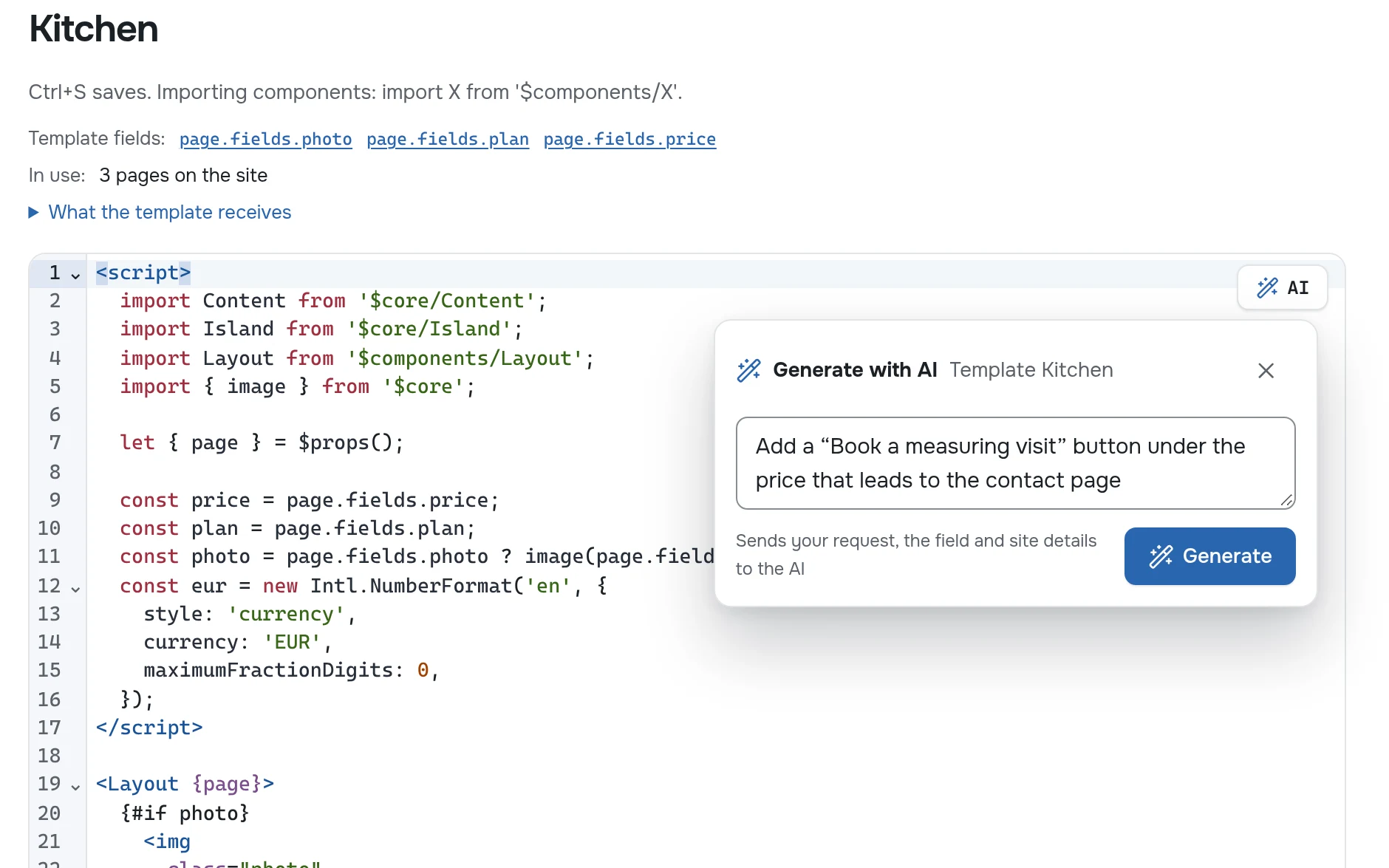
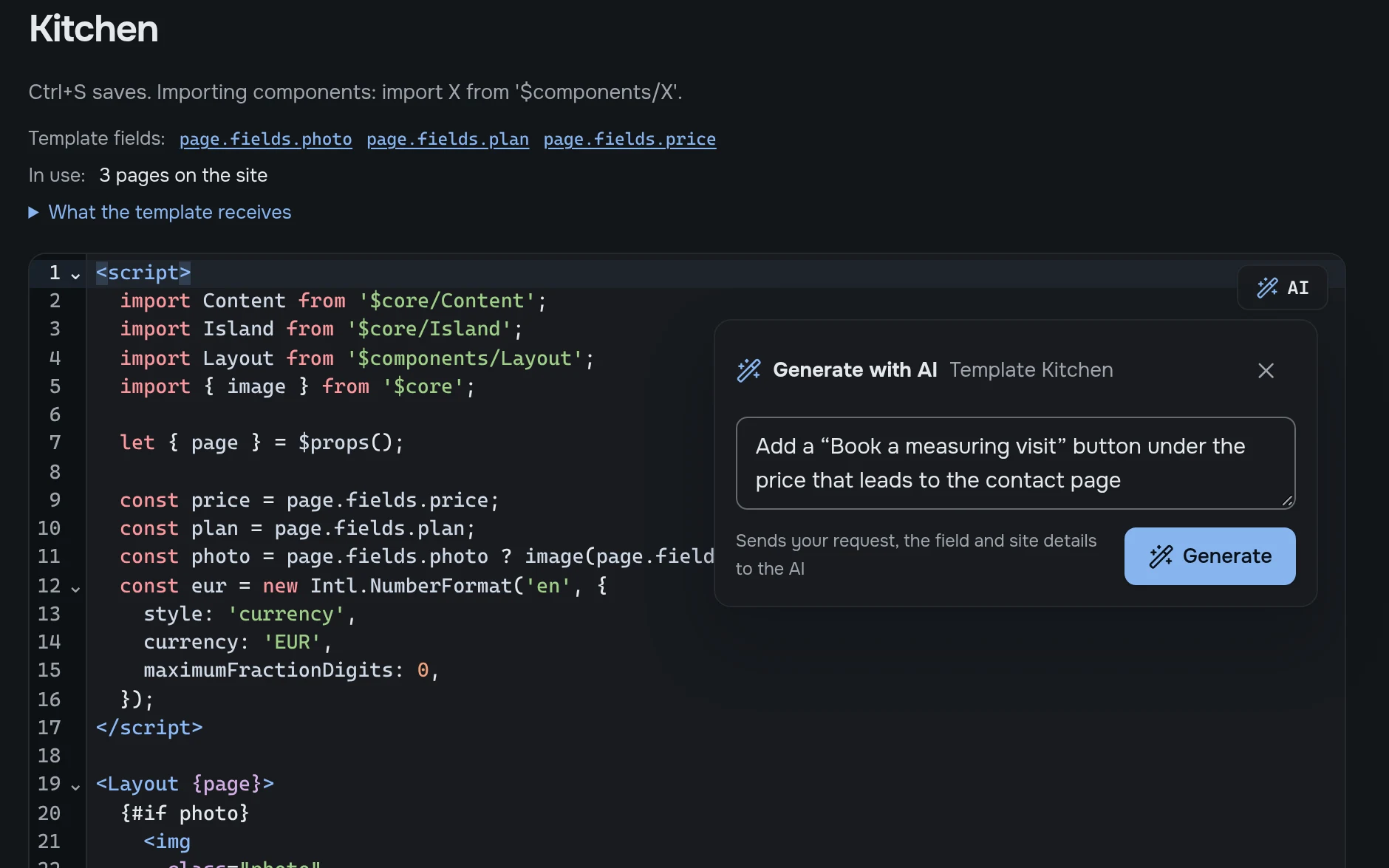
- Click the wand by a field or press Alt+I.
- Write a few words: “shorter”, “a one-line summary”, “add a booking button”.
- Look at the draft, then click Insert or Another one.
- Text and code
- Titles, descriptions, page text, and also templates, components and plugins.
- Knows your site
- The request carries the site name and language, the field and where it sits, so a few words are enough.
- Your model
- DeepSeek, OpenAI or any model with the same API, even a local one. The key stays on the server and never goes into a site backup.
- Your rules
- Set the tone and writing rules once in settings, and they go with every request.
Everything you’d install plugins for is built in
SEO and AI discoverability, forms with an inbox, search, backups, HTTPS and translations. Nothing to pick, combine and update one by one: they come and update together with Eile.
Discoverability
Forms and inbox
Site search
Peace of mind
Server
Languages
Your first site today
One command sets up a ready site: a blog, a portfolio, a company site, a showcase or a shop.
-
Install
curl -fsSL …/install.sh | bashThe script picks the build for your system, checks SHA256 and puts cms on your PATH.
-
Create a site
cms new blog --db site.dbStarters: blog, portfolio, company, showcase, shop. Without one you get an empty database with a welcome page.
-
Run
cms --db site.dbThe site and manager open on localhost:8080. On first start the server prints a link to create the admin.
Step by step, from an empty folder to a site online: Cookbook
curl -fsSL https://github.com/a-sharapov/eile/releases/latest/download/install.sh | bash This is an alpha: you can build sites today, but breaking changes may land before 1.0. Run cms backup before updating.