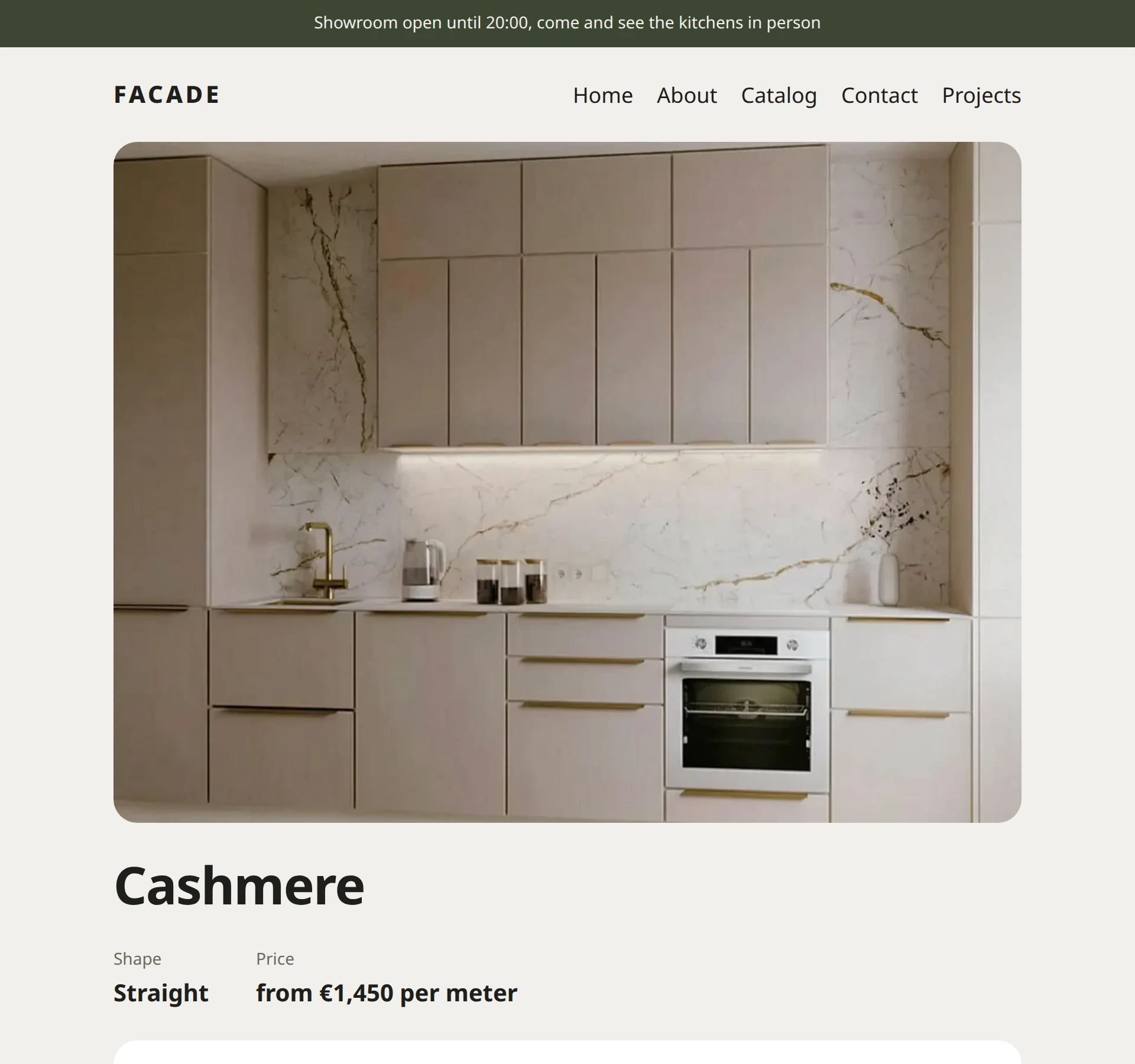
Live parts: “showroom open” and a kitchen calculator
Eile builds a page once and then serves it from memory instantly. Some things have to change, though: whether the showroom is open right now, or what a 3.4-meter kitchen will cost. That’s what uncached regions and islands are for.
How the cache works
When a visitor opens a page for the first time, Eile builds it from the template and remembers the finished HTML. The next visitors get it from memory in a fraction of a millisecond. As soon as you edit the page or the template, Eile drops the remembered copy and builds the page again.
That works well for everything that changes from one edit to the next. The “Showroom open” strip, though, changes on its own as the clock moves. If Eile remembered it at ten in the morning, it would show the ten o’clock state all day.
An uncached region
For spots like this there are regions. A region is a piece of the page that is built again on every request, while everything around it still comes from memory. Let’s make a Showroom component:
<!-- @component
Whether the showroom is open: worked out again on every request, in Dublin time.
-->
<script>
  let {
    /** Opening hour */
    opens = 10,
    /** Closing hour */
    closes = 20,
  } = $props();

  const hour = Number(
    new Intl.DateTimeFormat('en', {
      hour: 'numeric',
      hourCycle: 'h23',
      timeZone: 'Europe/Dublin',
    }).format(new Date())
  );
  const open = hour >= opens && hour < closes;
</script>

<p class="now" class:open>
  {#if open}
    Showroom open until {closes}:00, come and see the kitchens in person
  {:else}
    Showroom closed, we open at {opens}:00
  {/if}
</p>

<style>
  .now {
    margin: 0;
    padding: 0.55rem 1.5rem;
    background: #1f1e1c;
    color: #f1efeb;
    font-size: 0.875rem;
    text-align: center;
  }

  .open {
    background: #3d4733;
  }
</style>
new Date(): the current moment.Intl.DateTimeFormatwithtimeZone: 'Europe/Dublin'turns it into the hour in Dublin, wherever the server happens to be.class:open: adds theopenclass when the showroom is open. That’s how the strip changes color.
Now let’s put the strip into the header as a region. Replace the code of Header:
<!-- @component
Header: whether the showroom is open, the site name and the menu.
-->
<script>
  import Nav from '$components/Nav';
  import { site } from '$core';
  import Uncached from '$core/Uncached';
</script>

<Uncached name="Showroom" props={{ opens: 10, closes: 20 }} />

<header class="header">
  <a class="logo" href="/">{site().name}</a>
  <Nav />
</header>

<style>
  .header {
    display: flex;
    flex-wrap: wrap;
    align-items: baseline;
    justify-content: space-between;
    gap: 1rem;
    max-width: 48rem;
    margin: 0 auto;
    padding: 1.5rem;
  }

  .logo {
    color: inherit;
    font-size: 1.25rem;
    font-weight: 800;
    letter-spacing: 0.12em;
    text-transform: uppercase;
    text-decoration: none;
  }
</style>
<Uncached name="Showroom" …/> says “don’t remember this component, draw it every time”. Parameters go in props.
An island: the kitchen calculator
A region is built on the server. The calculator, however, has to respond to the slider without a page reload, so it has to run in the browser. That’s what islands are for. An island is a component that the server draws as usual and the browser then brings to life. JavaScript goes only to the pages that have an island, and the rest of the site stays without a single script.
The Calc component:
<!-- @component
Calculator: kitchen length in meters and an approximate price. Runs right in the browser.
-->
<script>
  let {
    /** Price per linear meter, € */
    price = 0,
  } = $props();

  let length = $state(3);
  const eur = new Intl.NumberFormat('en', {
    style: 'currency',
    currency: 'EUR',
    maximumFractionDigits: 0,
  });
</script>

<div class="calc">
  <label for="length">Kitchen length: <b>{length.toLocaleString('en')} m</b></label>
  <input id="length" type="range" min="1.5" max="6" step="0.1" bind:value={length} />
  <p>About <b>{eur.format(Math.round(price * length))}</b> without appliances or installation</p>
</div>

<style>
  .calc {
    display: grid;
    gap: 0.6rem;
    margin: 1.5rem 0;
    padding: 1.25rem 1.4rem;
    border-radius: 1.25rem;
    background: #fff;
  }

  input {
    width: 100%;
    accent-color: #1f1e1c;
  }

  p {
    margin: 0;
  }
</style>
let length = $state(3);: state, a number that can change. The kitchen starts out three meters long.bind:value={length}: links the slider and the variable both ways. Move the slider, andlengthchanges, along with everything that depends on it.{eur.format(Math.round(price * length))}: the price is recalculated every time the slider moves.
Let’s put the island on the kitchen page. Replace the code of the Kitchen template:
<script>
  import Content from '$core/Content';
  import Island from '$core/Island';
  import Layout from '$components/Layout';
  import { image } from '$core';

  let { page } = $props();

  const price = page.fields.price;
  const plan = page.fields.plan;
  const photo = page.fields.photo ? image(page.fields.photo) : null;
  const eur = new Intl.NumberFormat('en', {
    style: 'currency',
    currency: 'EUR',
    maximumFractionDigits: 0,
  });
</script>

<Layout {page}>
  {#if photo}
    <img
      class="photo"
      src={photo.src}
      srcset={photo.srcset}
      sizes="(min-width: 48rem) 45rem, 100vw"
      width={photo.width}
      height={photo.height}
      alt={photo.alt}
    />
  {/if}

  <h1>{page.title}</h1>

  <dl class="facts">
    {#if plan}
      <div><dt>Shape</dt><dd>{plan}</dd></div>
    {/if}
    {#if price}
      <div><dt>Price</dt><dd>from {eur.format(price)} per meter</dd></div>
    {/if}
  </dl>

  {#if price}
    <Island name="Calc" props={{ price }} />
  {/if}

  <Content of={page} />
</Layout>

<style>
  .photo {
    display: block;
    border-radius: 1.25rem;
  }

  .facts {
    display: flex;
    flex-wrap: wrap;
    gap: 0.75rem 2.5rem;
    margin: 0;
  }

  dt {
    color: #6b6862;
    font-size: 0.875rem;
  }

  dd {
    margin: 0;
    font-size: 1.25rem;
    font-weight: 650;
  }
</style>
<Island name="Calc" props={{ price }} />: the price goes to the island as a parameter. An island can’t use $core, because it lives in the browser, where there is no site database. Pass everything it needs through props.